Every reference field on Transaction and Inbound Report records has the Find Duplicate rule type. This rule type is typically used to leverage Salesforce deduplication when creating or updating Contact and Account records, though it can be applied for any deduplication scenario.
The field mappings you create with the the Find Duplicate rule define how a record is created in memory. Salesforce then checks the virtual record against the active Duplicate Management rules of the org before a record is created or updated (using Create Record and Update Record rules).
For the purposes of this explanation, we use the Account reference as the example. In the matching scenario, we want to get the existing Account record on the matched installment if a duplicate is found.
With the Find Duplicate setup, you are essentially creating an Account record and populating te fields with data from the inbound record (Transaction or Inbound Report) that is relevant for deduplication.
For Inbound Report records with type PaymentIntent, the Find Duplicate rule does not support mapping to custom fields on Inbound Report.
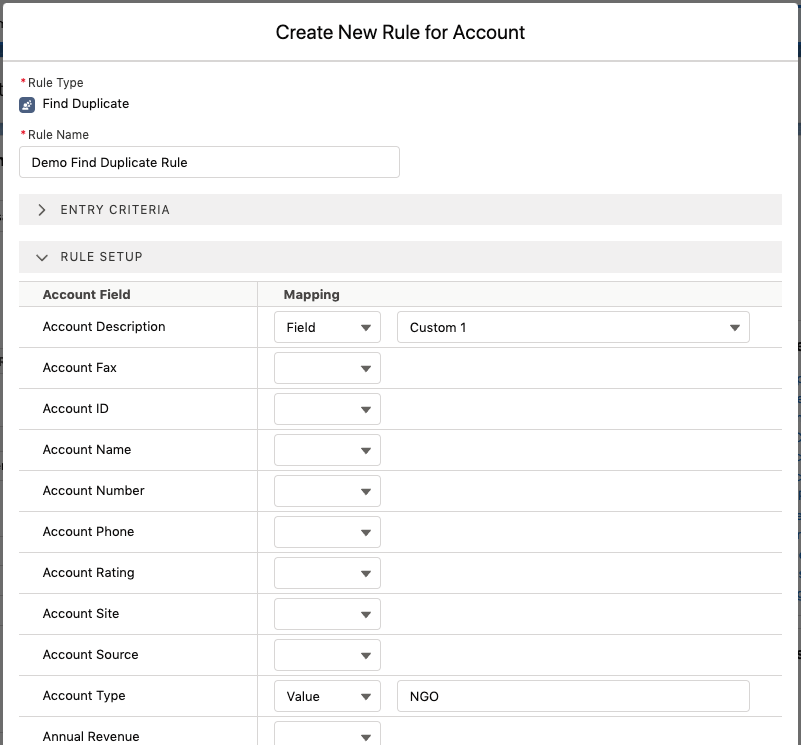
The following screenshot shows a simple value mapping to the Account Type field on Account and a field mapping to the pre-shipped Custom 1 field on Transaction that is being used to capture a description text. These are included in the org deduplication rules along with common fields like fist name, last name, email and so forth.
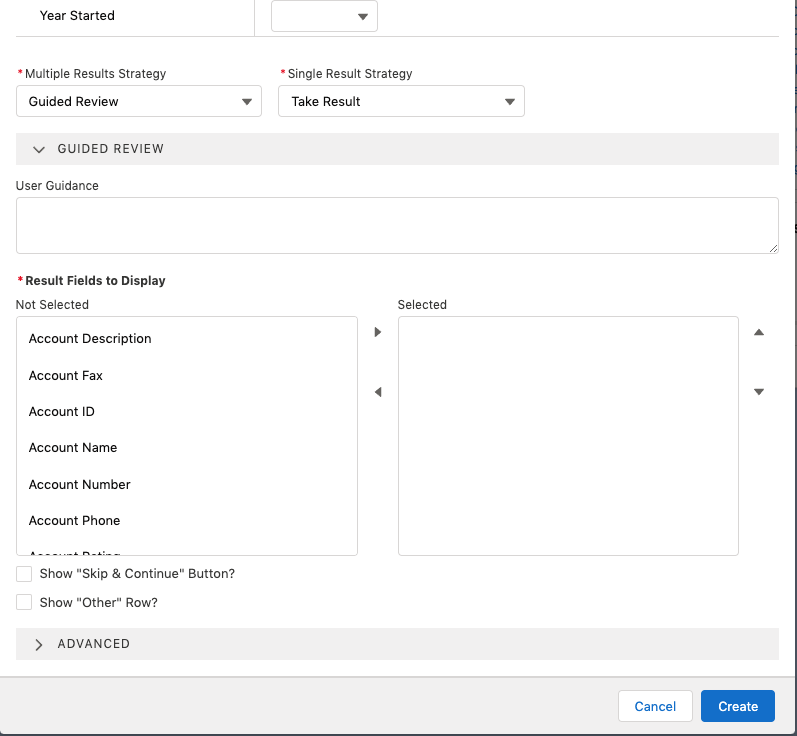
The Find Duplicate rule type has Multiple Results Strategy, Single Result Strategy, and Result Fields to Display settings which behave the same way as they do for the Query rule type.