The FinDock Payment Method Selector is a Lightning Web Component (LWC) that can be embedded in any Lightning-enabled context, including Flows and other LWCs. The selector uses advanced logic and a custom configuration editor to simplify the tasks of designing payment method selection in a digital payment experience.
The Payment Method Selector can be added to your own flows or accessed from one of FinDock’s Flow templates, as shown here.
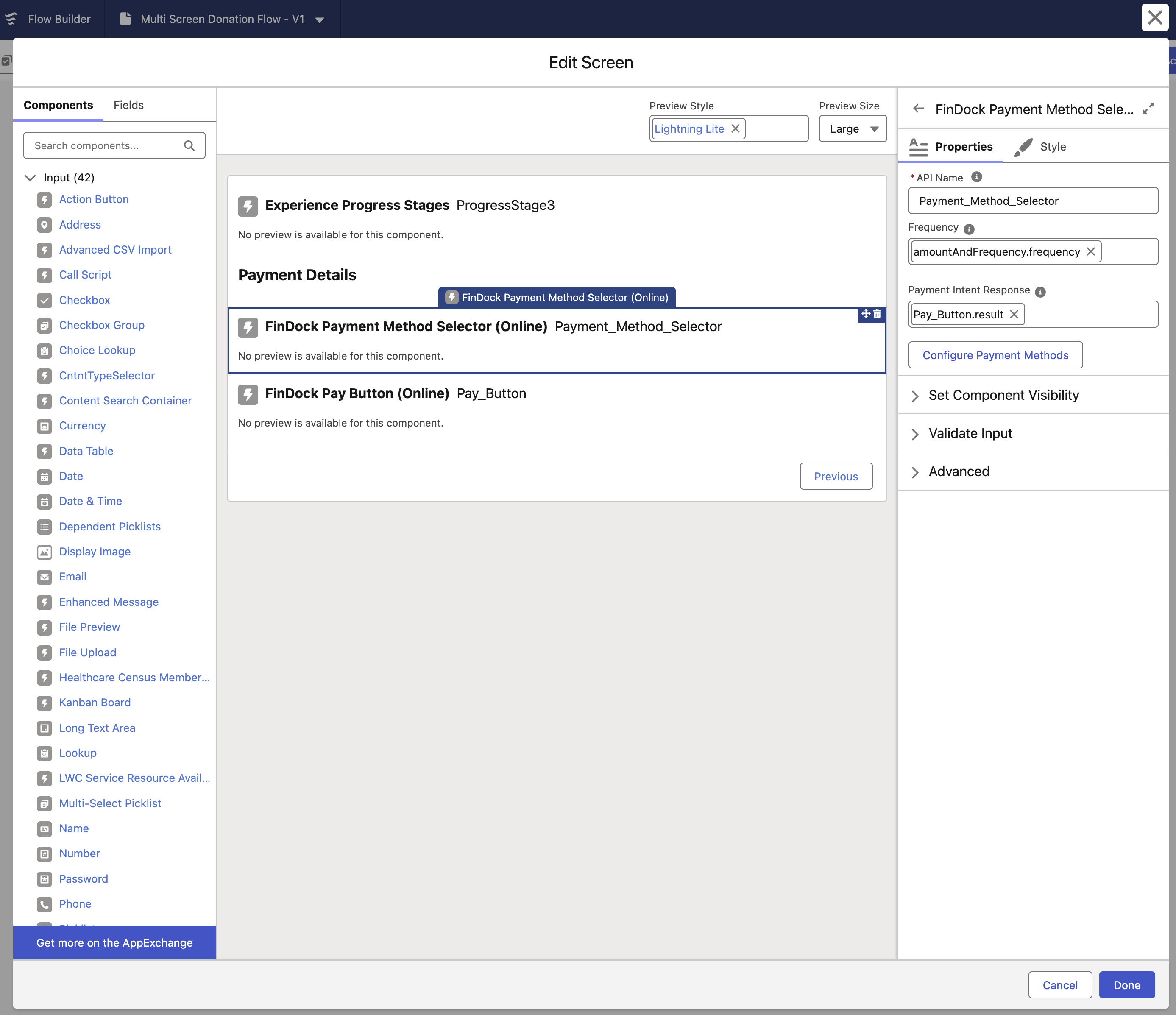
The component has standard Properties and Style options you can adjust to fit your needs. In addition, you need to define the Frequency and Payment Intent Response properties.
Frequency can be:
- Empty: component uses the default frequency (usually oneTime)
- Static: component uses the provided string value
- Dynamic: component uses a Flow variable to determine frequency
The Payment Intent Response property allows the response from the Pay Button component to be passed back to the Payment Method Selector if there is an error. The best approach for this property is to use the dynamic result value of the Pay Button component (as shown in the screenshot above).
Click Configure Payment Methods to launch the configuration editor. The main view presents a table of all active payment methods in the org, as well as basic settings like Status and Default.
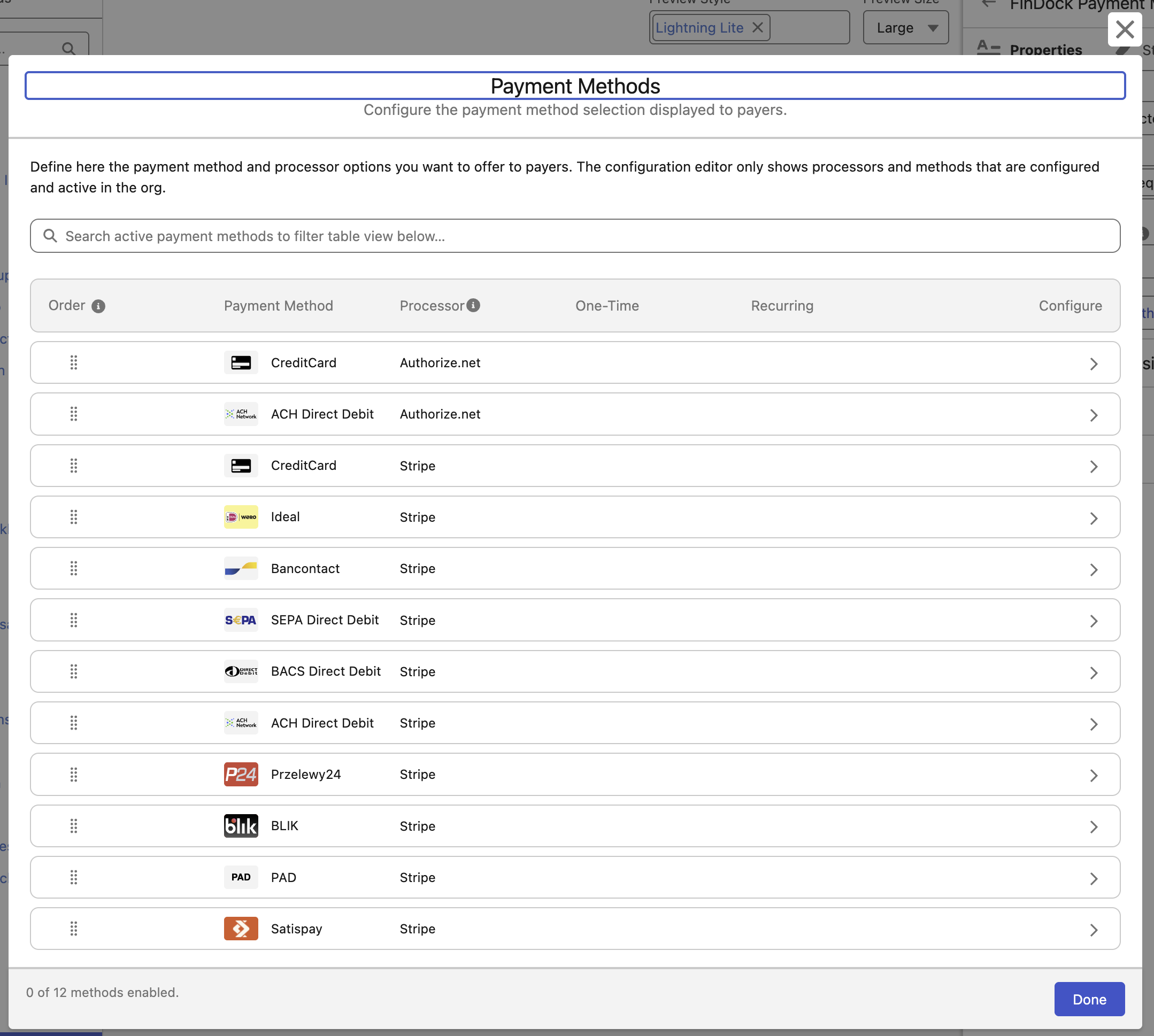
To configure a specific payment method click the chevron icon to the right under the Configure column. This opens a details screen where you can configure the payment method settings for both one-time and recurring payments.
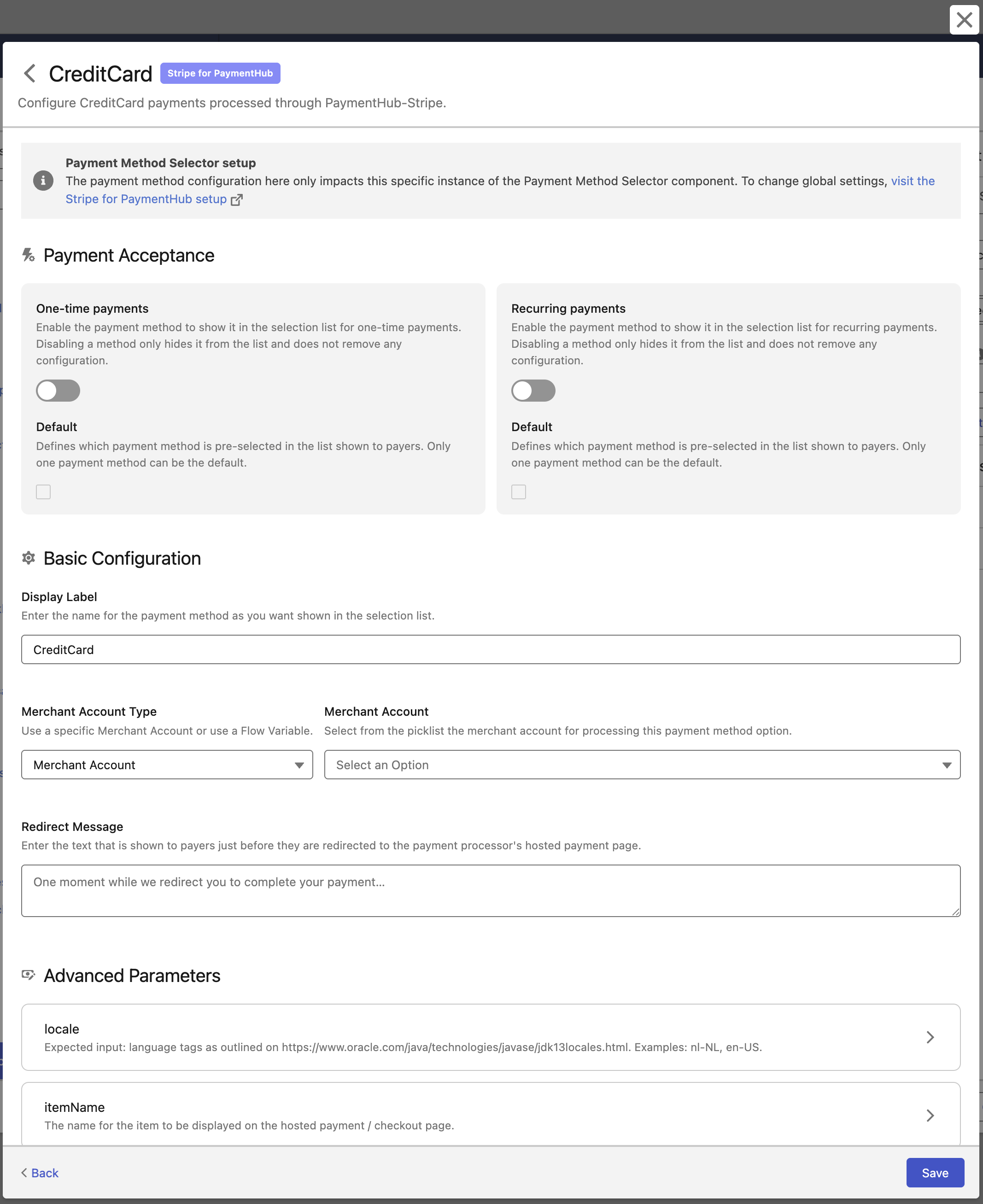
Note that the basic settings on the main view are also presented here in the Payment Acceptance section of the setup.